Choosing a content management system for a university website is not like choosing a CMS for a corporate site. The right platform for a mid-sized business with a single marketing team and a clear approval chain bears little resemblance to what works for an institution managing hundreds of departments, thousands of content editors, a governance committee, accessibility obligations under WCAG 2.2, and an IT team that is already at capacity. This guide walks through how to choose a CMS for your university website: what criteria actually matter, what your shortlist should include, and how to run a selection process that will hold up to institutional scrutiny.
Why University CMS Selection Is a Different Problem
Most CMS comparison guides are written for marketers. They compare ease of use, template libraries, and integration with marketing automation tools. For a university, those criteria are almost beside the point.
University websites are infrastructure, not marketing collateral. They carry legal obligations (accessibility compliance), support mission-critical communication (admissions, research, emergency alerts), and are maintained by people who range from professional web developers to departmental administrators who may open the CMS once a month. The platform you choose will be in production for a decade or more. Replacing it will cost between $150,000 and $500,000 in migration, training, and integration work — and that is before you factor in the internal staff time. The stakes are high enough that getting this decision right matters well beyond the IT department. VPs of Communications, CIOs, web directors, and often the Provost's office all have a legitimate stake in the outcome.
Choosing a University CMS: 7 Criteria That Matter
Multi-department governance at scale
A university website is not one website. It is dozens or hundreds of sites — faculties, departments, research centres, student services, administration — running under one domain. Your CMS needs to support this reality with robust governance controls: granular permissions, defined roles for editors and approvers, and the ability to enforce brand standards centrally without preventing departments from updating their own content.
The questions to ask here are operational, not technical: How do you revoke access when a staff member leaves? How do you enforce a template update across 80 department pages when the central web team has three people? How do you prevent a faculty member from publishing a page that breaks accessibility requirements?
Platforms that work well for a single communications team often collapse under the weight of distributed content ownership at institutional scale.
WCAG 2.2 accessibility compliance
Accessibility is not optional. Under the Accessibility for Ontarians with Disabilities Act (AODA) and equivalent legislation across Canadian provinces, universities are legally required to meet WCAG 2.2 Level AA standards for web content. The same applies to institutions operating in the United Kingdom under the Public Sector Bodies Accessibility Regulations, and in the United States under Section 508 of the Rehabilitation Act.
More practically, a CMS that makes it easy for non-technical content editors to publish inaccessible content — missing alt text, broken heading hierarchies, poor colour contrast — will generate accessibility debt regardless of what your policy says.
When evaluating platforms, look for:
Built-in accessibility validation before content is published
Templates that enforce semantic HTML by default
Alt text fields that are required, not optional
Keyboard navigation that works throughout the editing interface
A vendor with a public accessibility roadmap tied to WCAG 2.2
A platform that requires your editors to manually check accessibility on every publish is a platform that will produce accessibility violations at scale.
Structured content, not just templates
There is a meaningful architectural difference between a CMS that stores content as pages and one that stores content as structured data. Template-based systems give you a set of page layouts. Editors fill in the layout and publish a page. This is easy to get started with, but it couples your content to its presentation. When you redesign, you rebuild. When you need to deliver the same content to a mobile app, a screen reader, an AI assistant, or a future channel you haven't thought of yet, you rebuild again.
Structured content systems store content as discrete, typed fields — a faculty member's name, title, research areas, and biography as separate data points, not as a block of HTML in a text editor. This makes content reusable, maintainable, and future-proof.
For universities, structured content matters because your website is not just a publishing tool. It is a data layer for your institutional directory, your faculty experts listings, your research hub, and your admissions materials. Content modelling at the start of a CMS project is one of the highest-leverage investments you can make.
Integration with university systems
A university CMS does not operate in isolation. Your content platform needs to connect with:
Student information systems (SIS): Course catalogues, program pages, and registration information pulled from the SIS should not require manual updates by a web editor.
Identity and access management (IAM/LDAP): Content editors should be able to log in with their institutional credentials. Access should be provisioned and revoked through HR workflows, not through a separate CMS admin interface.
Faculty information systems: If faculty profiles live on the website, they should be fed from a single authoritative source — not maintained separately in the CMS and in a faculty database.
Emergency communication systems: Your CMS should support rapid publishing or integration with an emergency alerting system that can override the normal publishing workflow.
Each integration point is a potential source of maintenance burden. Evaluate vendors on how they handle these connections — whether through native connectors, documented APIs, or professional services that your team will be left to maintain.
Total cost of ownership, not just licensing
The licence fee is the most visible line item in a CMS budget, and often the least meaningful one.
For open-source platforms like Drupal, the licence is free — but the ongoing costs are substantial. Drupal requires a skilled developer team to maintain modules, manage security updates, and execute upgrades. Drupal 7 reached end-of-life in January 2025, and the migrations it forced on Canadian universities often ran to $200,000 or more once agency fees, custom module rebuilding, and content migration were accounted for.
For proprietary SaaS platforms, licensing costs are predictable, but professional services fees, custom development charges, and per-seat pricing can add up quickly at institutional scale.
Cost Category | What to include |
Licensing / Subscription | Annual fees at your user and site volume |
Implementation | Migration, configuration, training |
Ongoing Maintenance | Developer time, security patches, upgrades |
Integration | API development, middleware, ongoing sync costs |
Internal Staff Time | Hours for content migration, training, governance |
Redesign Cycles | How often the platform forces a rebuild |
A platform with a higher annual licence fee but lower total cost of ownership is the better financial decision, even if it does not look that way in the initial procurement comparison.
Migration complexity and vendor support
Every CMS selection is also a migration project. The question is not whether migration is difficult — it always is — but how much of the difficulty is caused by the platform versus by your own content debt.
Before issuing an RFP, conduct a content audit. Understand how many pages you have, how much is stale, how much custom code exists in your current pages, and what your integration dependencies look like. This will give you realistic scope estimates and prevent you from being surprised during implementation.
On the vendor side, ask specifically:
What does a migration from your current platform to this one look like?
Who is responsible for content migration — the vendor, a partner, or your team
What happens when the platform releases a major upgrade? Is it a disruptive re-implementation or an incremental update?
What is the vendor's track record with Canadian post-secondary institutions? References from peer institutions are more valuable than case studies for this stage of evaluation.
Vendor stability and long-term roadmap
A CMS selection is a long-term relationship. You are choosing a technology partner that your institution will depend on for ten or more years. Vendor stability matters.
For commercial platforms, review:
Financial stability (is the company funded, profitable, or VC-dependent?)
The public product roadmap
Customer concentration (do they serve enough institutions that your use case will drive future development?)
Support SLAs and escalation paths
For open-source platforms, understand who is maintaining the codebase, what the contribution community looks like, and how security vulnerabilities have been handled historically.
The Main CMS Options for Universities
No platform is universally right. The honest answer is that each of the major options makes sense for specific institutional contexts.
Drupal
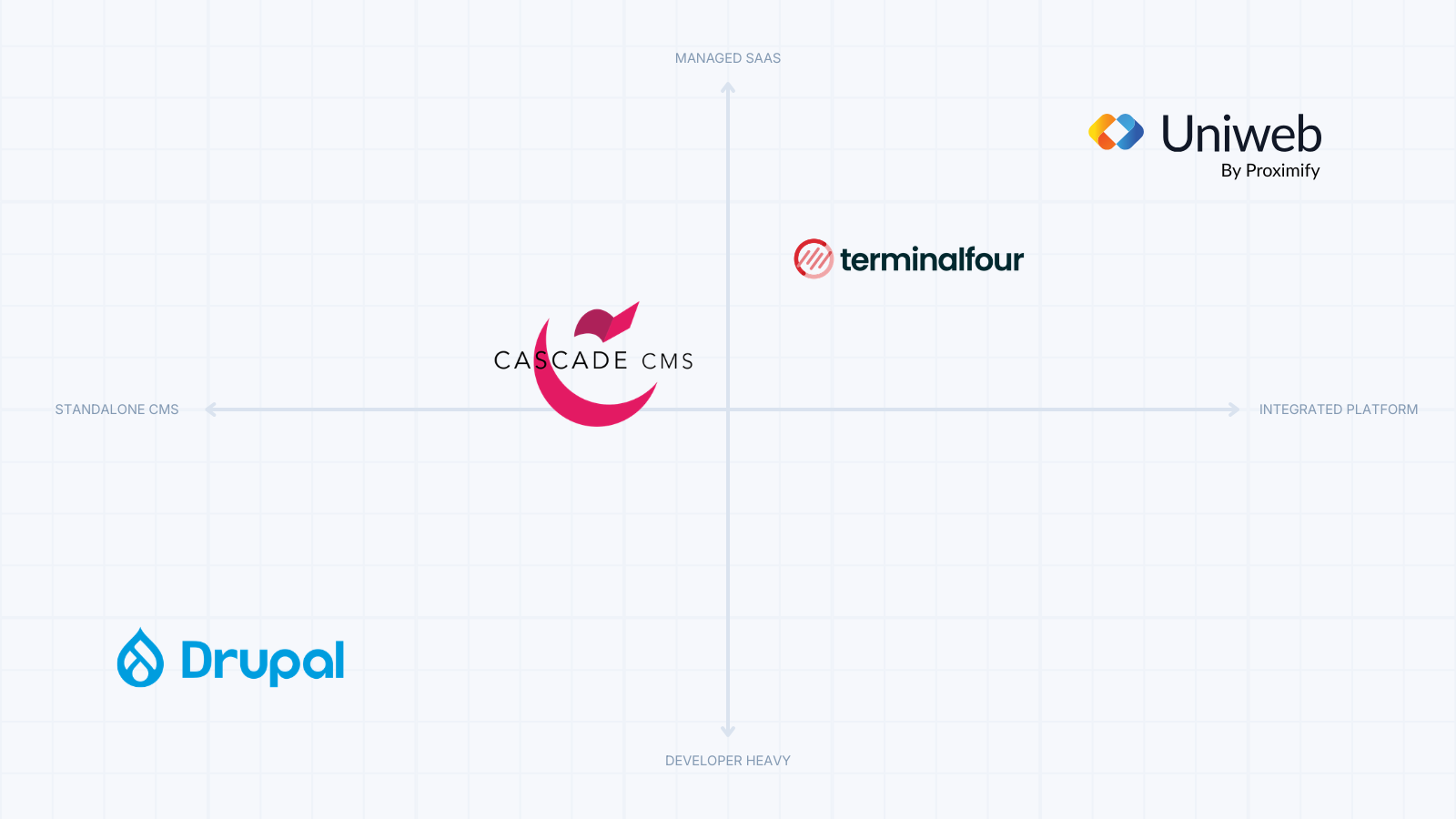
Drupal is the most widely deployed CMS in higher education globally. It is open-source, highly flexible, and has a large developer ecosystem. For large research universities with strong in-house developer capacity and a web team that includes experienced Drupal developers, it can be a legitimate long-term choice.
The challenges are well-documented: Drupal is complex to maintain, requires ongoing developer attention, and has historically imposed expensive migrations on major version upgrades. The Drupal 7 end-of-life in January 2025 forced hundreds of universities into unplanned migration projects. Institutions without a dedicated Drupal developer on staff often find themselves dependent on external agencies for routine maintenance.
Cascade CMS (Hannon Hill)
Cascade CMS is purpose-built for higher education and is in use at hundreds of North American institutions. It offers a more structured approach than Drupal, with templates and governance features designed for distributed editorial teams. The platform has a smaller vendor ecosystem than Drupal and is less flexible for complex integrations. Some institutions find that it works well for the central web team but struggles to accommodate the technical requirements of individual faculties with sophisticated needs.
Terminalfour
Terminalfour is a UK-originated SaaS CMS with strong penetration in UK and Irish higher education and a growing presence in North America. It includes built-in accessibility tools, content targeting features, and a governance model designed for institutional scale.
The platform's reporting and analytics capabilities are a genuine differentiator. The vendor's roadmap is active, and the platform has invested more than most in accessibility tooling. Cost can be a constraint for smaller institutions, and the implementation timeline is typically longer than platforms with a lighter configuration footprint.
Uniweb (by Proximify)
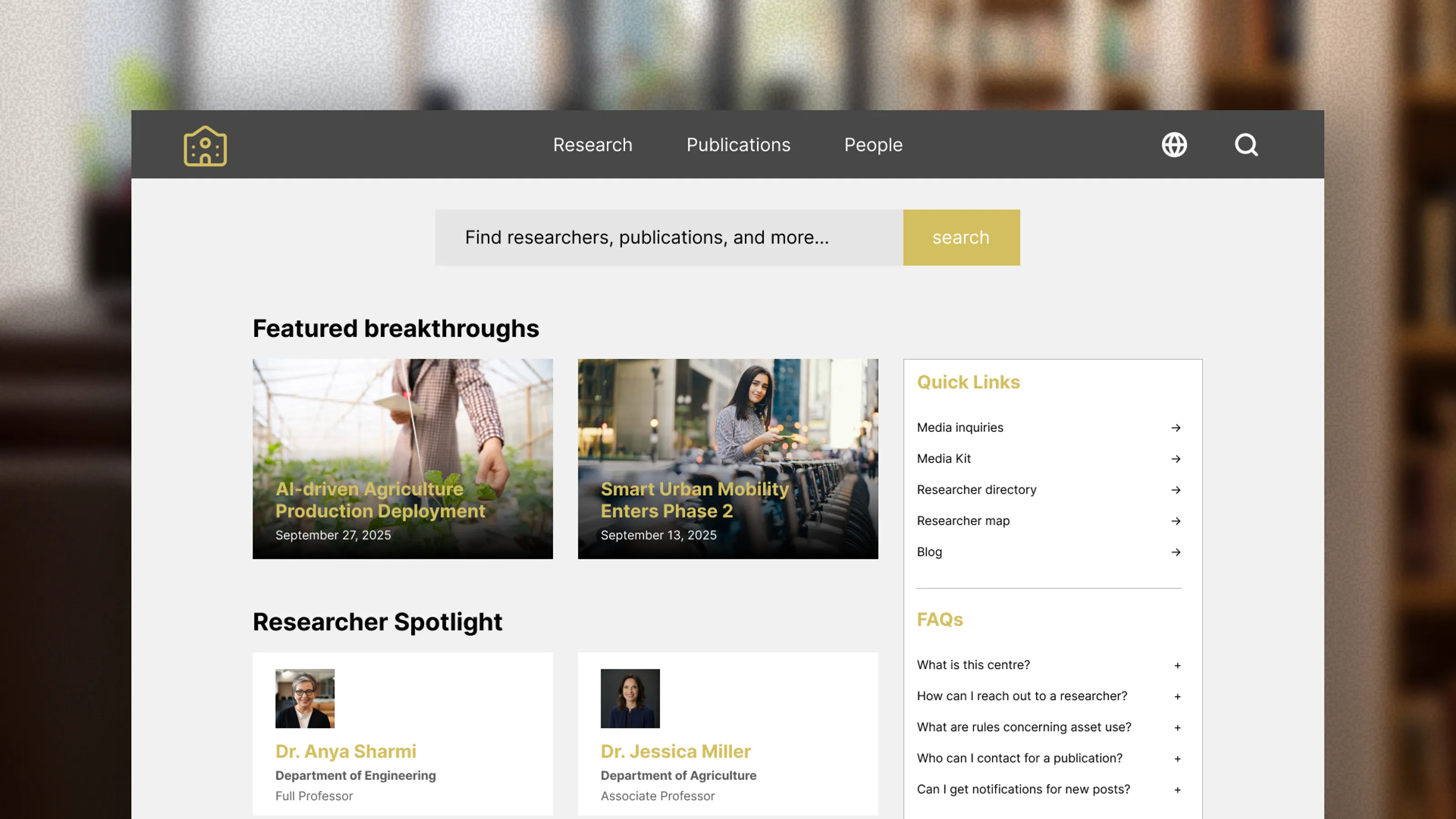
Uniweb takes a different approach from the above. Rather than positioning itself as a general-purpose web CMS, Uniweb is a structured academic platform that includes university website functionality alongside faculty profiles, an experts directory, research information management, and academic hub capabilities.
The distinction matters for institutions that have separate systems for their website and their faculty information, academic publications, or research outputs — which creates the kind of data silos that lead to stale faculty profiles, unmaintained research pages, and inconsistent institutional information across channels.
Uniweb's structured content model means that a faculty member's profile, research outputs, and web presence can all draw from the same data layer, rather than being maintained separately in three systems. For Canadian institutions specifically, Uniweb includes deep integration with the Canadian Common CV (CCV) ecosystem, though this is covered separately in our research management content.
How to Run the Selection Process
Step 1: Build the right evaluation committee
CMS selection decisions that are made by IT alone and then handed to Communications — or vice versa — consistently produce poor outcomes. The selection committee should include representation from:
Central IT (infrastructure, security, integrations)
Communications / web team (editorial workflow, brand governance)
One or two faculty or departmental representatives (distributed content editing)
Procurement / finance (contract review, total cost modelling)- Accessibility office (compliance requirements)
Involving the Provost's office or a VP sponsor early helps secure institutional commitment to the timeline and budget — both of which tend to slip when the project lacks executive ownership.
Step 2: Define requirements before looking at platforms
It is tempting to start with a demo. Do not start with a demo. Start with a requirements document.
Group requirements into tiers:
Must-have: Requirements the platform cannot fail to meet. (Example: WCAG 2.2 Level AA compliance, integration with your SIS.)
Should-have: Requirements that would meaningfully improve operations but are not blockers. (Example: Built-in accessibility checking in the editorial workflow.)
Nice-to-have: Features that would be welcome but should not drive the decision.
A requirements document serves two purposes: it keeps evaluations honest (you are scoring platforms against the same criteria, not against the most recent demo you saw), and it provides documented justification for the final recommendation if the selection goes through Senate or a governance committee.
Step 3: Issue a structured RFP
For a university CMS, an informal quote process is rarely sufficient — both because of procurement policy and because the complexity of the decision warrants rigour. A well-structured RFP:
Describes your institutional context: number of sites, pages, content editors, and integration dependencies
Specifies your must-have requirements
Asks for references from peer institutions
Requests a total five-year cost model, not just an annual licence fee
Requires vendors to demonstrate, not just describe, how their platform handles your specific use cases
Gives vendors enough time to respond properly — four to six weeks is appropriate for a decision of this scale.
Step 4: Run structured demos
Vendor demos are rarely useful unless you control the agenda. Send each vendor the same demo script in advance:
Show us how a departmental editor with no technical background publishes a new page
Show us how a web administrator revokes access for a departing staff member
Show us how you enforce a template change across 50 department pages
Show us what happens when a content editor publishes a page with missing alt text
Show us how the platform handles a mobile rendering of a content-heavy programme page
Ask the same questions of every vendor. Take notes in a consistent scoring rubric. Involve your departmental representatives in at least one demo session — their perspective on usability is often more predictive of real-world outcomes than the central IT team's technical assessment.
Step 5: Check references from peer institutions
Ask for three references from Canadian institutions, or institutions of comparable size and governance complexity. Ask those references specifically:
What did implementation actually cost, and how did that compare to the quoted estimate?
What has ongoing maintenance required in terms of staff time?
What would you do differently?
Would you choose this vendor again?
A vendor that can not provide peer references in higher education should be treated with appropriate scepticism.
Questions to Ask Every CMS Vendor
Regardless of which platforms make your shortlist, the following questions surface important differences:
On accessibility:
How does the platform enforce WCAG 2.2 compliance at the editorial level, not just at the template level?
What is your VPAT (Voluntary Product Accessibility Template) for the current version?
What does your public accessibility roadmap include for the next 12 months?
On governance:
How granular are your permissions? Can you give a department editor rights to edit only their own pages, with an approval workflow before anything is published
How do you handle access provisioning and deprovisioning at scale?
On integrations:
What is your documented API architecture?
What integrations with SIS platforms, LDAP/SSO, and faculty information systems do you support out of the box?
Who is responsible for maintaining integrations after go-live — your team, a partner, or us?
On migration:
What does a migration from our current platform look like?
What tools do you provide for content migration, and what will we need to do manually?
What is the most common reason migrations run over time or budget with your platform?
On support:
What are your SLAs for critical outages?
What does your customer support model look like for Canadian institutions?
Who is our primary point of contact after go-live?
Common Mistakes to Avoid
Choosing on demo performance alone. A vendor's ability to run a polished demo tells you about their sales team, not their platform. Weight references and total cost modelling more heavily than demo impressions.
Underestimating content migration. Content migration is almost always the most time-consuming and expensive part of a CMS implementation. Budget for it explicitly.
Excluding departmental editors from the evaluation. Central web teams and IT departments evaluate differently from the departmental administrators who will be using the CMS every day. Both perspectives matter.
Treating accessibility as a checklist, not a workflow. A platform that technically meets WCAG 2.2 at launch but makes it easy for editors to introduce accessibility violations is not a sustainable solution. Evaluate how accessibility is enforced in the day-to-day editorial workflow.
Optimizing for the RFP, not the decade. CMS contracts run for five to ten years in practice. Optimize for long-term total cost, vendor stability, and your institution's trajectory — not just for this year's budget approval.
Where to Go From Here
Choosing the right CMS is the foundation of a modern university web presence, but it is only the beginning. Once you have a platform in place, the ongoing challenges shift to governance, content quality, and accessibility maintenance.
We’re happy to help you figure out if Proximify can provide a solution for your institutional context. Reach out to us